Overview
Widgets and quick actions explained.
To
Ultimate solution for your school to run modern way
By
The Laravel framework has a few system requirements...
However, if you are not using Homestead...
In most hosting accounts...
After installation eSkooly needs a few directories/files...
Quickstart guide for administrators.
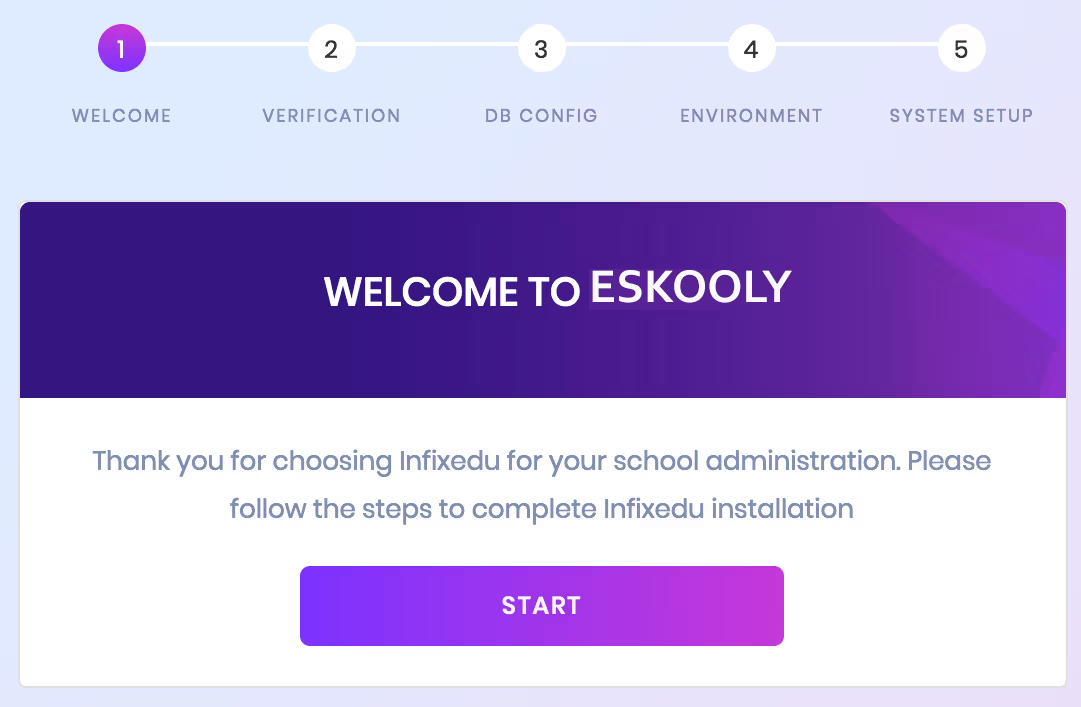
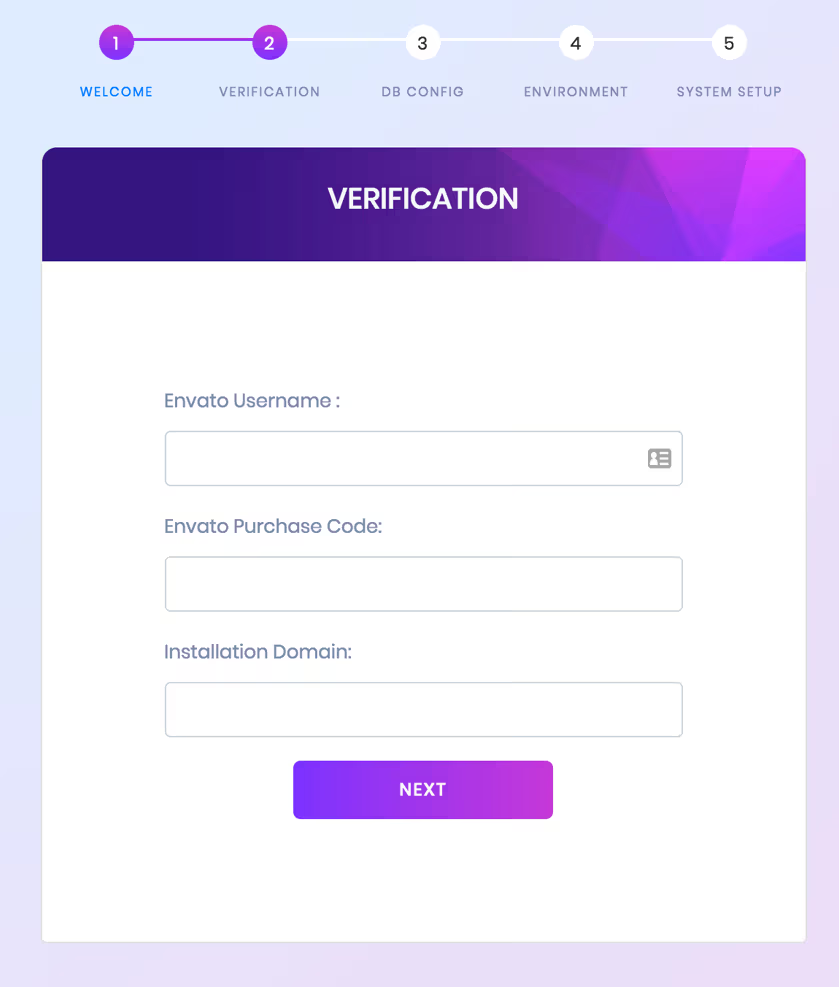
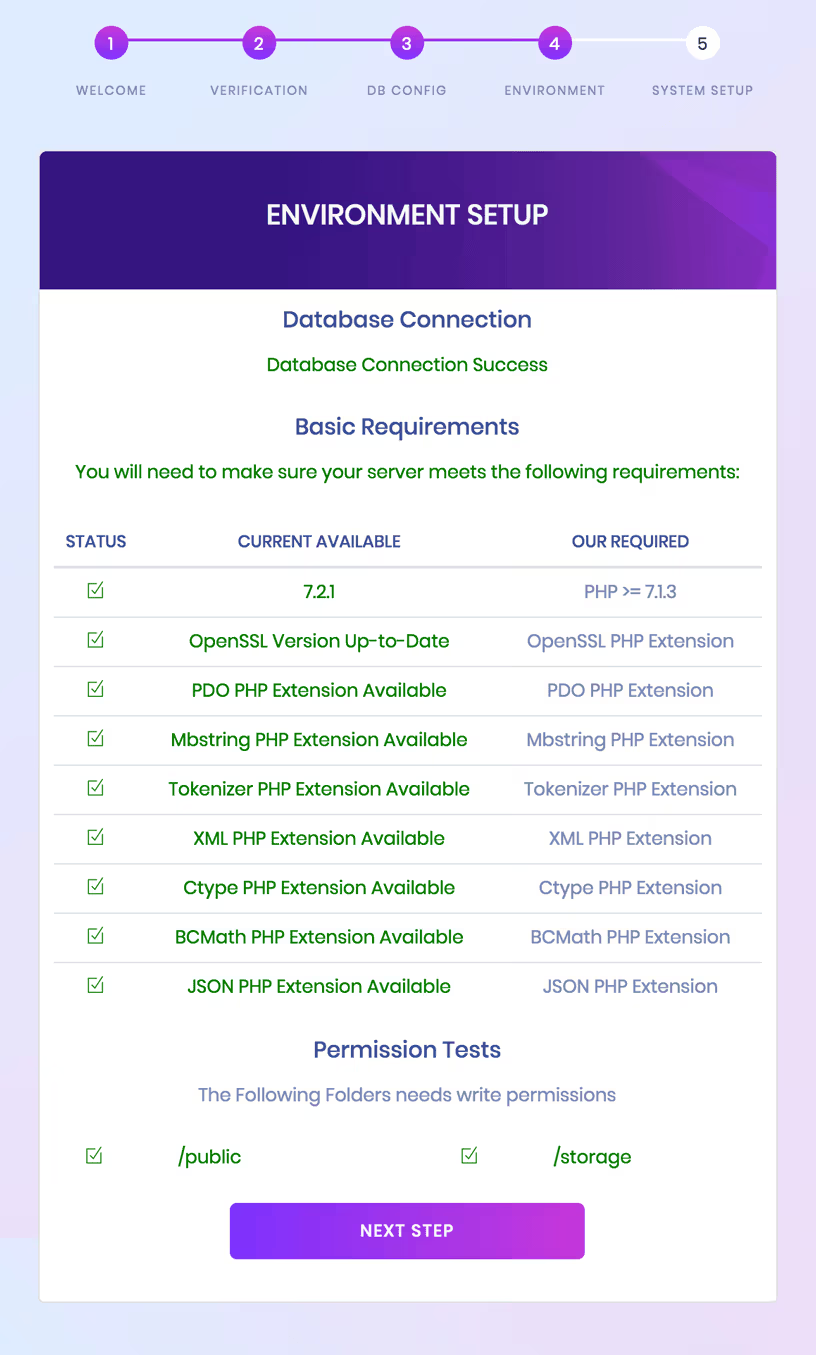
Overview of the admin dashboard and widgets.
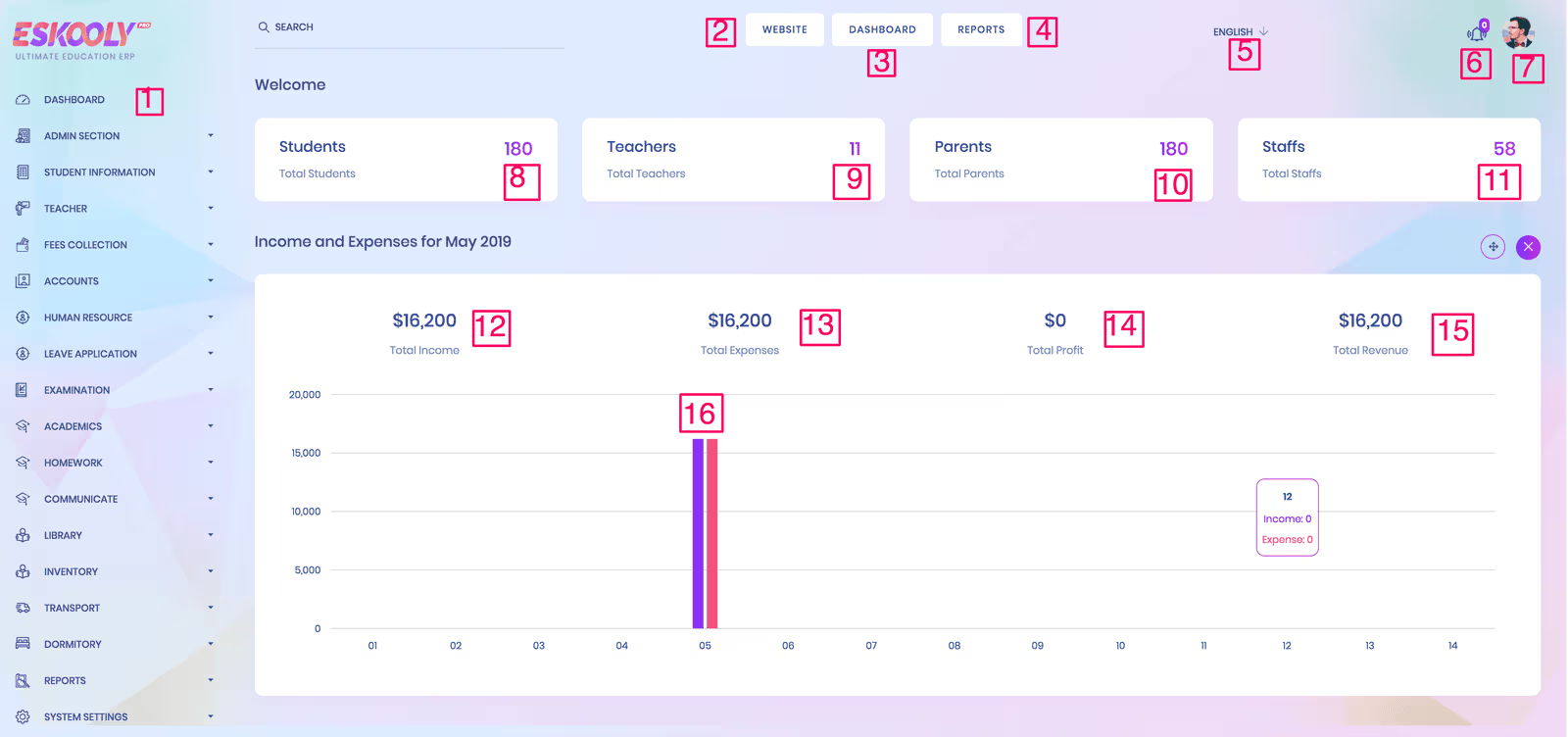
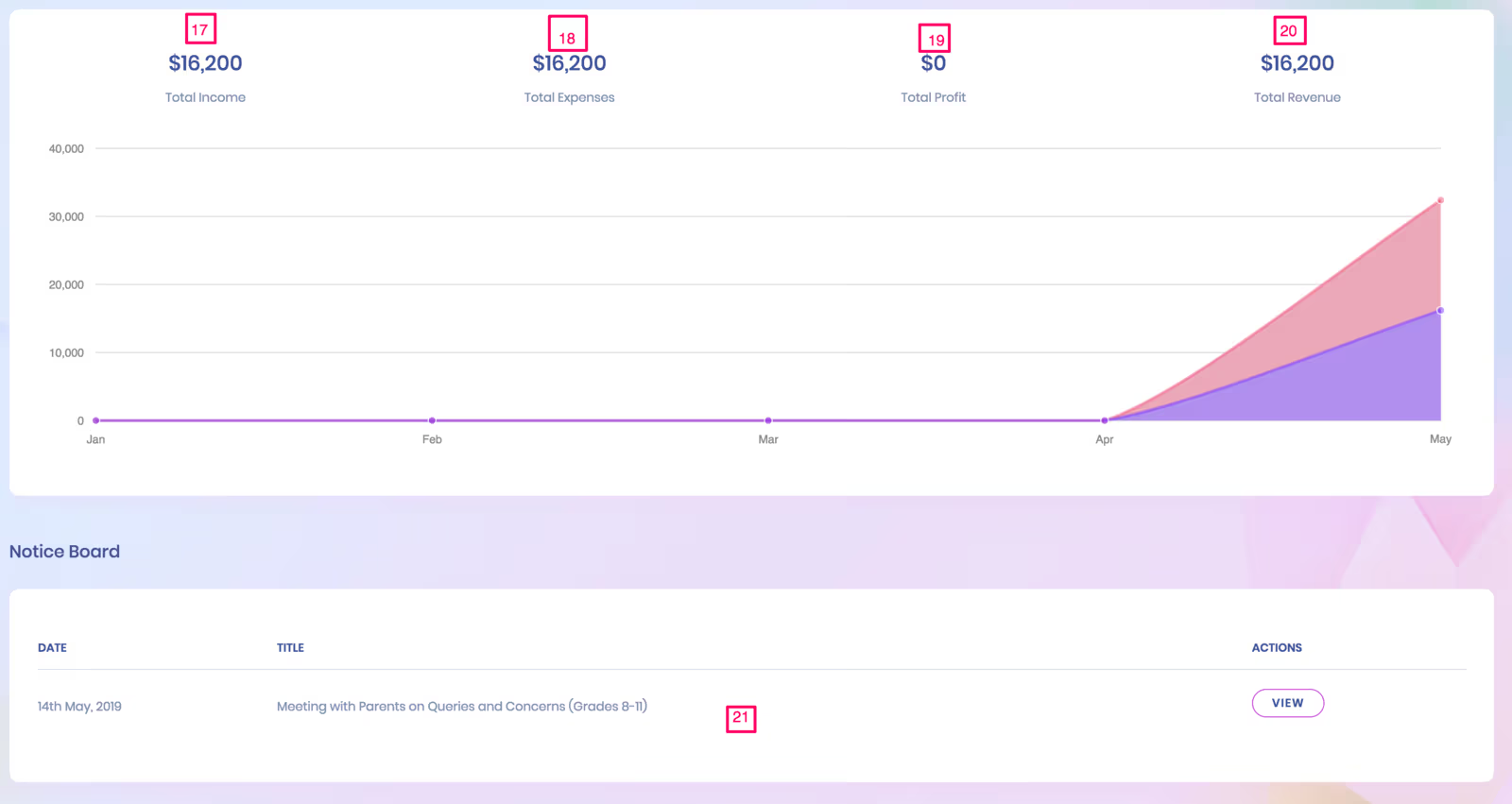
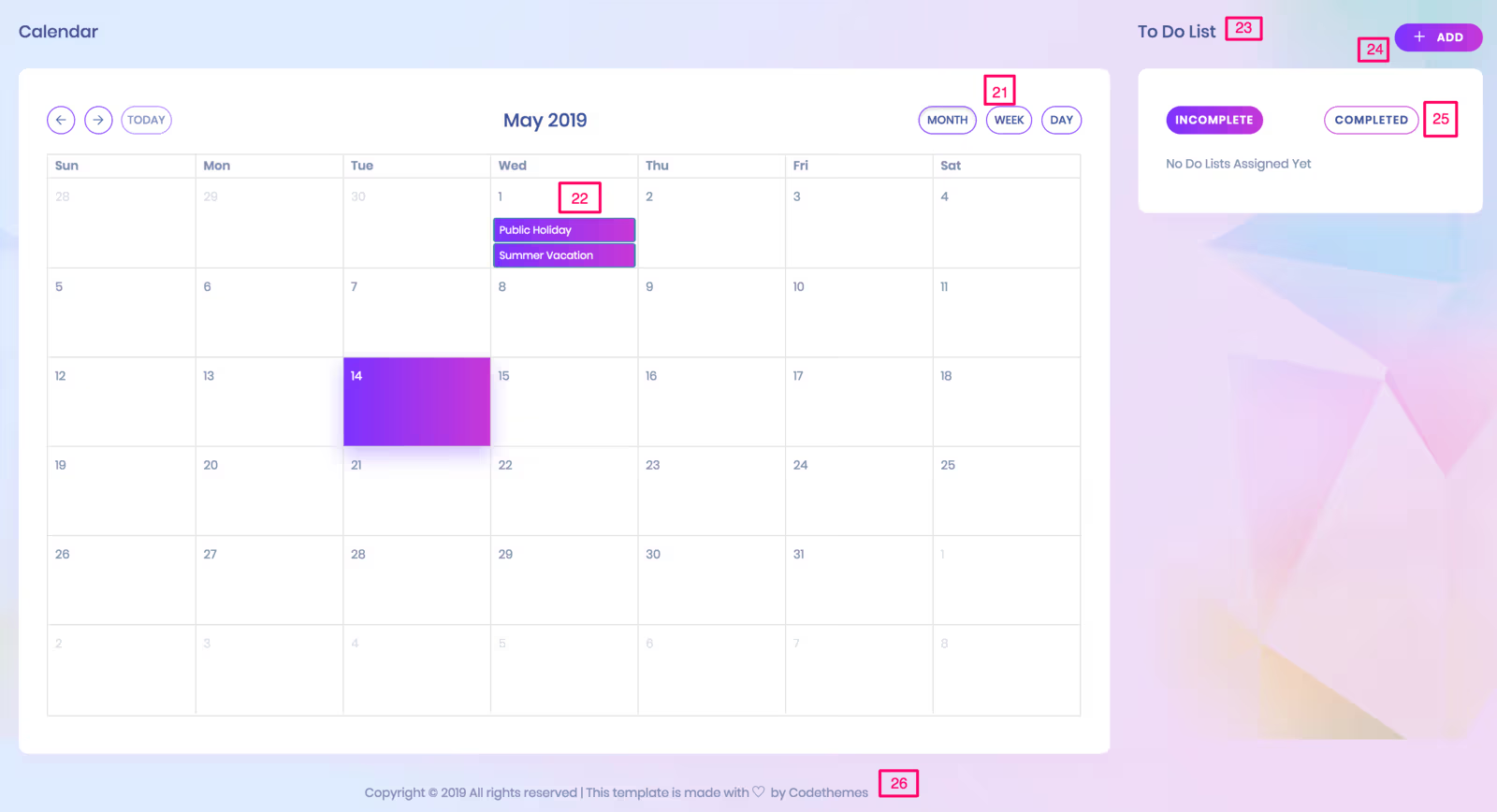
Widgets and quick actions explained.
Customizing dashboard layout and widgets.
Dashboard related settings.
Administration panel features and permissions.
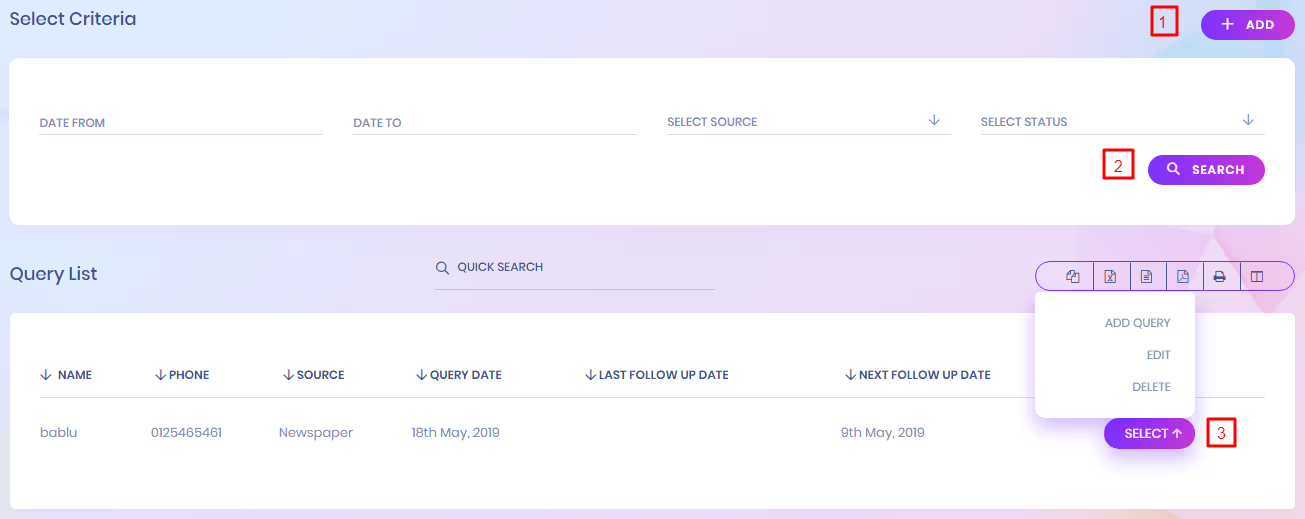
Handle and respond to admission inquiries submitted by prospective students or parents.


Manage visitor records and track daily visitors.

Manage complaints and track resolution progress.

Manage incoming postal items and track deliveries.

Manage outgoing postal items and dispatch records.

Track incoming and outgoing phone calls with details.

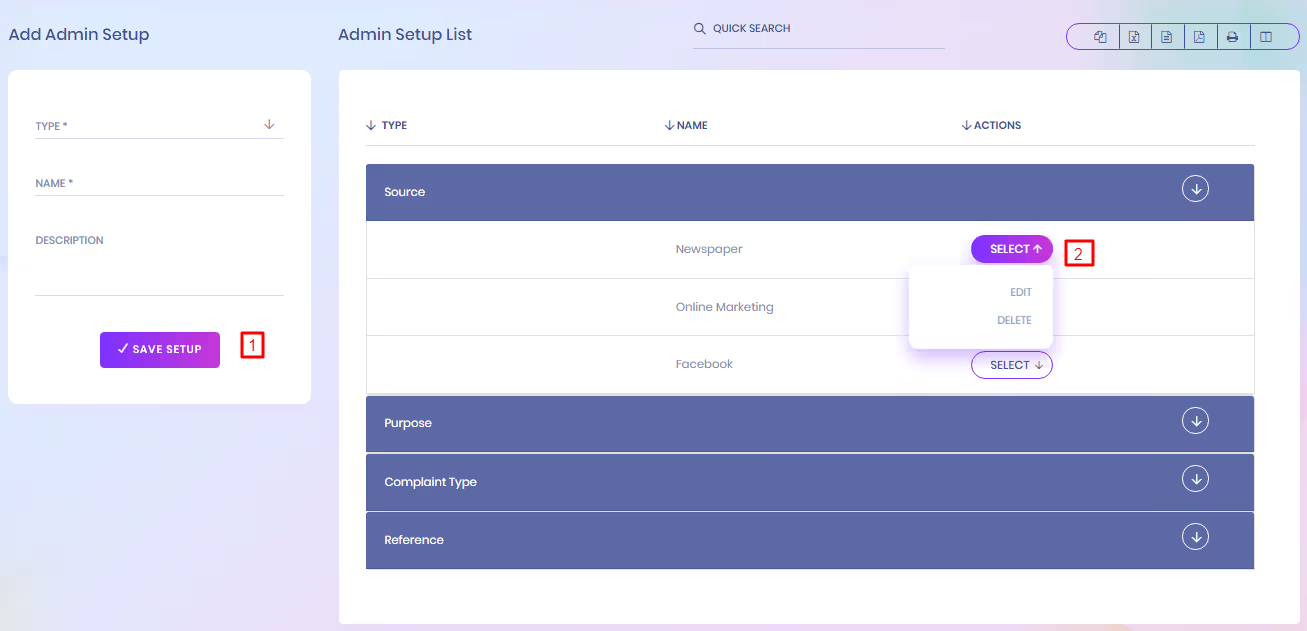
System configuration and administrator settings management.
Templates and requests for issuing student certificates.

Generate printable certificates based on templates and student data.

Manage ID card templates and student card data.

Batch-generate student ID cards and export for printing.

System configuration and global options.


General application settings such as site name, timezone, logo and basic preferences.

Configure SMTP, from-address, and email templates for system notifications.
Setup available payment gateways, currencies and transaction preferences.

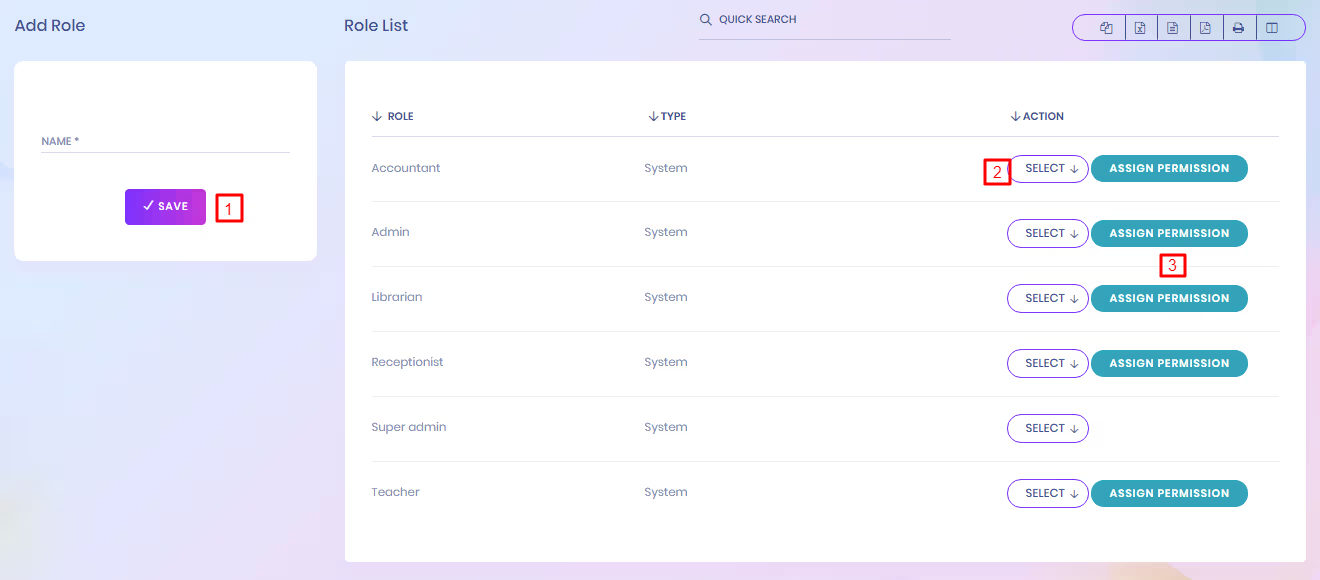
Define roles and granular permissions for users and administrators.
Core institution details: name, address, contact information and defaults.

Manage academic year ranges and active academic sessions.

Create and manage sessions/terms and their start/end dates.

Configure school holidays and recurring holiday rules.

Configure SMS gateways, sender IDs and templates for notifications.

Define weekend days and special working day exceptions.

Manage available languages and default locale for the application.

Database and file backup options; scheduling and restore instructions.

Instructions and tools to update the system safely to new releases.

Dormitory module: rooms, beds and reports.


Create and manage individual dormitory rooms, capacities and features.

View a consolidated list of dormitories with quick links to rooms and occupancy.
Define room types (single/double/hostel suites) and associated capacities.

Generate and filter reports showing student allocations, occupancy and statuses.

Vehicle management and route scheduling.


Create and manage bus routes, stops, and timings.

Register vehicles, maintenance records and capacities.
Assign vehicles to routes and schedule drivers.

Generate reports showing students assigned to transport routes and vehicles.

Stock, items and requisitions.


Define categories for inventory items to organize stock (e.g., Stationery, Electronics).

View and search the full list of inventory items with stock levels and locations.
Manage stores/warehouses where items are held and their transfer rules.

Manage supplier records, contact details and procurement history.
Log received stock against purchase orders and update inventory counts.

Review received shipments and audit historical receive records.

Record sales or disposals of items and generate receipts if applicable.

Issue items to departments or students and track issued quantities.

Catalog, lending and returns.


Steps to add a new book to the catalog, including metadata and cover image uploads.

View, search and filter the complete list of books with availability status.

Manage book categories and subject taxonomies for easier discovery.

Register library members (students, staff) and assign membership IDs and borrowing limits.

Process issuing and returning of books, record due dates and fines where applicable.

View all currently issued books and overdue items with borrower details.

Messaging, notifications and announcements.


Publish and manage notices for students, parents and staff with visibility controls and scheduling.
Compose and send internal messages or announcements to selected users or user groups.

Set up and send transactional or bulk emails/SMS messages using configured gateways.

View delivery logs, statuses and error reports for sent emails and SMS messages.

Create and manage events, RSVPs and calendar integration for school activities.

Assigning and tracking homework.


Create and assign homework to classes or individual students, attach files and set deadlines.

View evaluation results, grading summaries and performance analytics for submitted homework.
Courses, class schedules and curriculum.


Define and publish class timetables and routine schedules for each class or section.
Assign subjects to classes and map them to syllabus and assessments.

Designate class teachers for each class/section and manage their assignments.

Manage subject list, codes and associated curriculum items.
Create and configure classes with linked sections and capacities.
Manage sections within classes and assign students accordingly.

Manage classrooms, resources and their allocation to class schedules.

Configure class periods and exam time slots for scheduling and conflict resolution.

Exam scheduling, results and transcripts.


Create new exams with metadata, weightings and associated classes or subjects.
Manage exams, edit details, and view assigned students and schedules.

Publish exam timetables with room and invigilator assignments.

Record and review marks, compute aggregates and generate reports.
Record attendance for exam sessions and generate absence lists.

Define grading scales and map marks to grades and GPA calculations.

Bulk-send marks or notifications via SMS to students or parents.

Organize question groups for exams and link them to papers.

Manage a repository of questions searchable by topic and difficulty.

Configure and run online exams with time limits and automated grading where applicable.

Applying and approving leaves for staff and students.


Review pending leave requests and approve or decline with notes.
Instructions for staff and students to apply for leave and attach supporting documents.
Define leave categories, rules and eligibility criteria.

Manage types of leave (sick, casual, earned) and their default durations.

Staff records, payroll and attendance.


Manage staff records, roles and contact details.
Record and review daily attendance for staff members.
Generate attendance reports and summaries for payroll and compliance.

Process staff payroll, manage salary components and deductions.
View payroll history, payslips and export reports for accounting.

Financial accounts and ledger management.


View profit summaries and period comparisons for institutional finances.
Record and track income sources and receipts.
Manage expense entries, categories and approvals.
Search financial transactions and invoices.

Configure the chart of accounts structure and account codes.

Manage available payment methods and gateway settings.
Maintain bank account records and reconciliation tools.

Setup and collect student fees.


Process fee collection transactions and issue receipts to students or guardians.
Search for fee payments by student, receipt number or date range.

Find outstanding fees and generate follow-up lists.
Define fee types, structures and allocation rules for classes or programs.
Group fees for batch application and concessions.

Manage different fee categories such as tuition, transport and library.

Configure discount rules and scholarships affecting fee calculations.
Handle carry-forward of outstanding fees across academic years.

Teacher profiles and assignments.


Upload lesson content, resources and multimedia for teacher access.
Create and manage assignments for students with deadlines and attachments.
Organize and publish study materials for classes and subjects.

Manage syllabus documents and map them to class schedules.

Provide other downloadable resources like sample papers and guides.

Student records, profiles and ID management.


Process new student admissions, capture documents and assign identifiers.
Browse and search enrolled students with quick filters.

Record daily attendance and manage attendance codes.
Generate attendance reports for individuals and classes.

Define and manage student categories like scholarship or special groups.

Create and manage student groups for activities and communications.

Promote students across classes and manage bulk promotions.

Manage records and accommodations for students with disabilities.

Pre-built and custom reports across modules.


Generate student performance and activity reports.
Reports tailored for guardians: attendance, fees and progress.

View historical records of a student's academic journey.

Track student portal logins and activity logs.

Detailed fee statements for students or accounts.

List of outstanding balances and summary by student or class.

Financial transaction history and filters for audits.

Aggregate reports by class including performance and attendance.

Exportable class timetable and routine reports.

Exam schedules and related reporting.

Teacher-specific timetables and routine exports.

Generate merit lists based on exam results and criteria.

Reports for online exam results and analytics.

Printable mark sheets for students and classes.

Tabulated results for academic review and processing.

Detailed progress card reports for individual students.

Report of fines assessed to students and payment status.

Audit logs for user actions and system events.

Student-facing portal features and navigation.


View and edit student profile details, contact info and emergency contacts.
View fee statements, payment history and make online payments if enabled.

Access your class timetable and period details.

See assigned homework, submission status and feedback.

Download study resources, reports and notices available to students.
View your attendance records and any remarks.

Access upcoming exam schedules and past results.

Participate in online exams and view exam instructions.

School notices and announcements targeted to students.

List of subjects you are enrolled in with syllabus links.

Contact information and profiles for your teachers.

Library services, borrowed books and search catalog.
Your assigned transport routes and vehicle details.

Dormitory allocations, room details and related services.
Parent portal features, notifications and permissions.


View profiles and academic summaries for your children.

Check fee statements and payment options for your child.
View class timetables relevant to your child.

See homework assigned to your child and submission status.

Monitor attendance records for your child.

View exam results and downloadable mark sheets for your child.

Important notices and announcements for parents.

Subjects your child is enrolled in with teacher info.

Contact details for your child's teachers.
Transport assignments and route details for your child.
Dormitory info and allocations if your child is a resident student.